
How To Create a Surreal Infrared Photo Effect
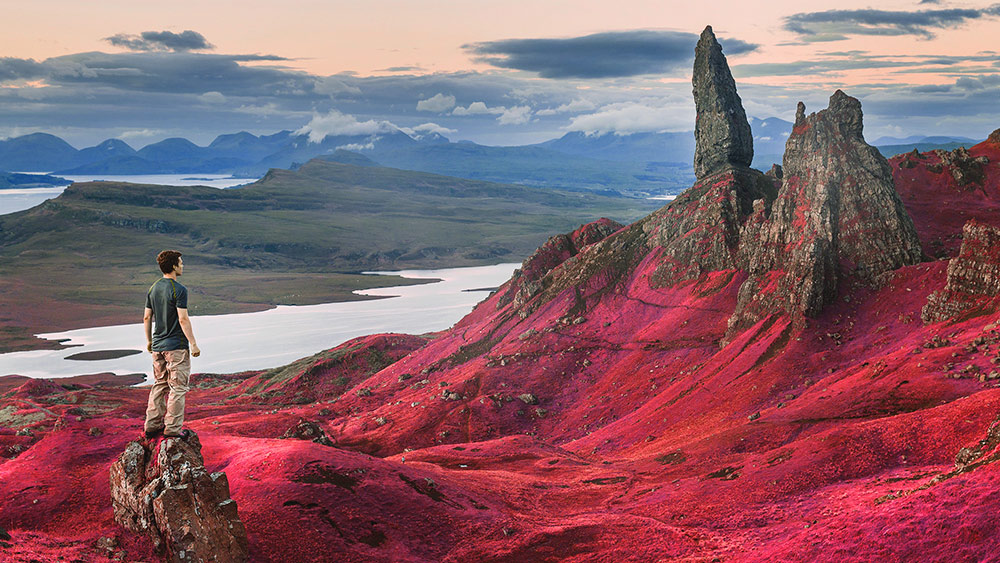
In today’s Photoshop tutorial we’re going to take a look at replicating the unique appearance of false-color infrared photography. Authentic infrared photos are captured using infrared film, or digitally using an infrared lens, but the overall style and aesthetic can also be simulated with some tweaks to a normal photograph in Adobe Photoshop. In false-color infrared photos the reds, blues and greens are reversed, so scenes with foliage and trees appear as a vibrant pink rather than green, which often looks like the photograph was taken on another planet! The result is a surreal image that transforms a typical landscape shot into a vibrant and unique photo.

Amazing tutorial, nice work!
Really cool effect for photos!
thank for write pretty articles Adobe Photoshop Elements 2018